Thursday, 21 November 2024

How do I get my Youtube Channel to make money?

This post is specifically for content creators in Papua New Guinea. These are things I have learnt over the years when I first started my Youtube Channel and later had it monetized after meeting the requirements. I too had questions starting off but as time went by and after hours of reading and watching countless Youtube videos I began to understand this whole process. This short article with brief steps is an effort to help my fellow Papua New Guineans to monetize your Youtube Channel.

To monetize your YouTube account, you need to meet the eligibility requirements for the YouTube Partner Program (YPP) and follow these steps:


1. ๐Ÿ”Meet Eligibility Requirements

  • Subscriber Count: Have at least 1,000 subscribers.
  • Watch Hours: Accumulate 4,000 public watch hours in the past 12 months OR achieve 10 million valid public Shorts views in the last 90 days.
  • Account Status: Follow YouTube’s Community Guidelines, with no active strikes on your account.
  • AdSense Account: Have a Google AdSense account to receive payments. This requires you have a Visa Card.
  • Two-Step Verification: Enable 2-step verification on your Google account.

2. ✒️Set Up and Verify Your YouTube Channel

  • Go to YouTube Studio and ensure your channel is complete with:
    • A proper channel banner, profile picture, and description.
    • Uploaded content that adheres to YouTube’s policies.
  • Verify your channel with a phone number:
    • Go to YouTube Settings > Channel > Feature Eligibility > Intermediate Features > Verify Phone Number.

3. ๐Ÿ“ˆCheck Your Progress Toward Monetization

  • In YouTube Studio:
    • Go to Monetization in the left menu to see your progress toward the 1,000 subscribers and 4,000 public watch hours (or Shorts views).
    • Click Notify Me When I’m Eligible to receive an email when you meet the requirements.

4. ๐Ÿ“Apply for the YouTube Partner Program (YPP)

Once you meet the eligibility criteria:

  • Go to Monetization in YouTube Studio and click Apply Now.
  • Complete the steps:
    1. Accept the YouTube Partner Program Terms.
    2. Connect or create a Google AdSense account.
    3. Wait for YouTube to review your application.

5. ๐Ÿ”ŽReview Process

  • YouTube reviews your channel to ensure it complies with their:
    • Community Guidelines
    • Monetization Policies
    • Advertiser-Friendly Content Guidelines
  • The review process typically takes a few weeks but may vary.

6. Start Monetizing Your Content

If approved:

  • Enable Ads: Turn on monetization for individual videos.
  • Explore additional revenue options like:
    • Channel Memberships
    • Merch Shelf
    • Super Chats & Super Stickers
    • YouTube Premium Revenue

If your application is rejected, YouTube will provide feedback, and you can reapply after 30 days. Continue to try and try until you get the channel monetized.

Monday, 3 June 2024

Enhancing your Youth retreat activity with Custom Word Search Activities: Using ChatGPT and Online Word Search Maker

Imagine a youth retreat program where students not only disconnect from their daily studies but also embark on a journey of self-reflection, relaxation, and spiritual growth. I've been invited to a number of retreat programs by DWU Chaplain, Madang campus and with every retreat I attend I tinker up activities for the students to do based on the theme at hand. Sometimes I get called up in the last minute and I have to do an activity as quickly as I can.

More recently, I was determined to create an activity that would captivate the students and ignite their enthusiasm for learning while nurturing their faith. That's when inspiration struck: why not incorporate technology into our activities, using the power of ChatGPT and an online word search maker to craft engaging and educational challenges?

At first glance, it may seem like an unconventional combination, but the results were remarkable. ChatGPT, an artificial intelligence language model, was used to extract key words and terms from long Bible passages and then these key terms were fed into an online word search make to create word search puzzles.

Here's my step by step on how to do this.

Part 1 Using ChatGPT to pickout key words from a Bible Passage

Identify the theme for the retreat and the key Bible passages.

Tell the AI model what you are planning to do and that you are going to give it a bible passage or an entire chapter and it has to extract at least 15-20 single words for the word search. You can even include in the prompt the theme.

Here is my example prompt:

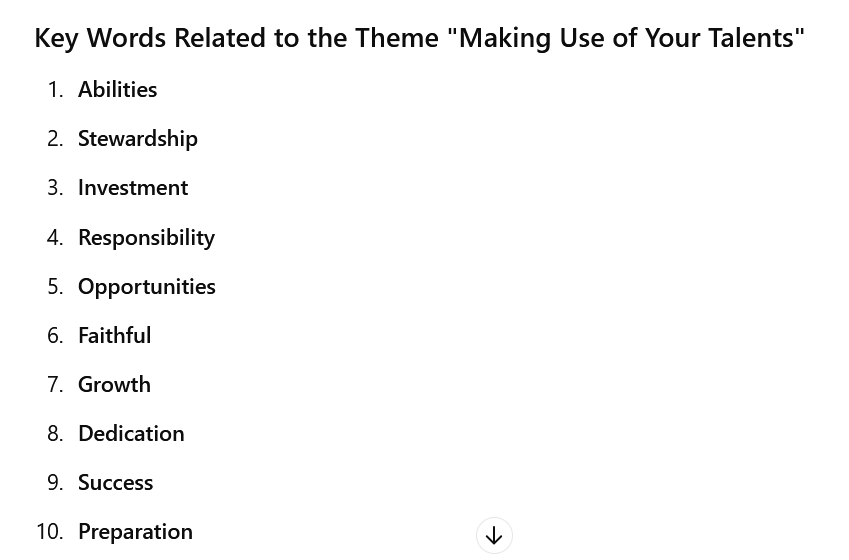
Pretend that you are the youth leader for a group of 1st and 2nd year university students on a retreat event. You would like to create a word search activity for the youths to do in groups and these words will come from a bible passage. I will provide for you the passage and you give me a list of 10 key words from this bible passage and 10 key words related to the theme of "Making use of your talents".

In the example above, I copied the entire chapter of Mathew 25 on the Parable of the Ten Virgins from Bible gateway online (English Standard Version).

I then pasted the chapter into chatgpt and let it do its magic.


Part 2 Bringing the words into online word search maker 

Wednesday, 29 May 2024

Setting up a Live Event on Facebook Page

This post will demonstrate the step-by-step process required to setup a live event on Facebook page. You will need to do this when you plan to livestream an event via Zoom or through switching hardware or such as BlackMagic ATEM, Roland Switcher, or software such as Open Broadcasting Software (OBS), or online platforms like Restream or any other streaming applications.

Setup a Live Event

Step 1

Log into your FB profile that is linked to the page that will be used for the livestreaming.

Step 2

Navigate to the Page (I have a page called Tinkering Thoughts that I will be using for the demonstration here). If you have editor permission on the page you may need to click on Switch Now to have permissions to the page to create the Live event.

Step 3

Click on the Live video icon

The first two options you should see are ‘Go live’ and ‘Create live video event’.


To promote the event prior to the actual event and share with your audience, it would be best to create a live video event. If you are creating the event on the go, use the Go live option. In this case I will create a live video event.

Step 4 Create a live video event.

Select the ‘Create live video event’ by clicking on the Select button. This will now take you to the page where you will add in the event details.  

Evolving as a Digital Teacher: Tools of the trade (Part 9)

Over the years I have used a couple of apps/software to produce the videos I share on my Youtube channel of the same name https://www.youtube.com/channel/UC-jwZp3df8qWrzAXxpiovfQ

Some of these apps are free open source while others are proprietary (commercial paid software). I share here the apps and their use.
 
๐Ÿ“ŒShotcut - one of the first open source lightweight video editing tools I have used. I no longer use that but still have it. Find it here https://shotcut.org/
 
๐Ÿ“ŒWondershare Filmora - decided to try a proprietary software on a 1 year license. Paid K200+ for this software for a 1-year license. Great tool but decided it was too much for me and I had to look for a free alternative. https://filmora.wondershare.com
 
๐Ÿ“ŒCapcut - First used capcut on the phone and realized this was the best video editor with tons of features. I think late last year or early this year they released a free PC version and now I am using that for all my video editing. The music videos with lyrics I use Capcut and the Karaoke text feature to do them. Highly recommended. https://www.capcut.com/
 
๐Ÿ“ŒFormatFactory - a free software that is handy for formatting video into different video formats and also great for splitting audio from video vice versa. http://www.pcfreetime.com/formatfactory/
 
๐Ÿ“ŒHandBrake - my go to tool for compressing larger videos for web use. Sometimes I produce videos that are over 500MB to 1GB in size. This tool helps me compress the videos while maintaining the quality. https://handbrake.fr/downloads.php
 
Let me know of a tool I don't have on this list but is also worth looking into. Perhaps one that you use. ๐Ÿ˜Ž

Sunday, 14 May 2023

Experimenting with AI tools

On the 27th April I was invited to present on Artificial Intelligence. I presented not as an expert in the field but rather an AI enthusiast and thought I should share some of the interesting things I'm experimenting with using AI. 

I share here snippets from the presentation (which by the way was generated with the help of an AI tool, Magic Canva). Each image is accompanied with a brief description of what tool was used and for what purpose. The objective was to stir the interest in the audience mainly young students in the STEM field but also students from other disciplines to find an area of interest in which AI can be applied.

You can also find the presentation on Canva using this link:  Canva Magic Presentation

1. What basically is Artificial Intelligence?

 
2. Examples of areas where AI is mainly used.


3. How AI is serving others especially in the area of Healthcare, Education, Business, and Environment. There are many areas however I highlighted only these four.


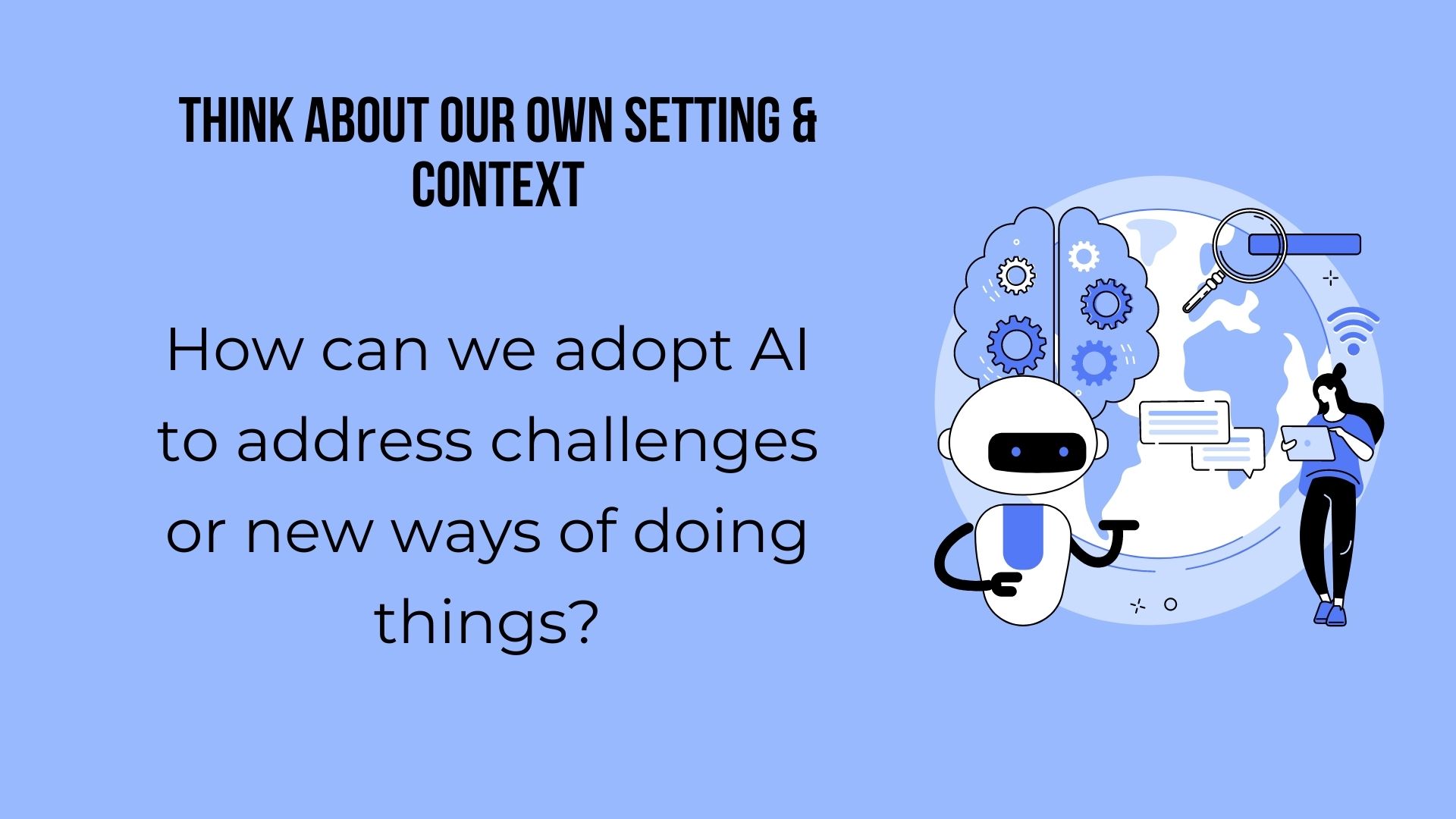
4. Then came the question of "How can we adopt AI to address some of our challenges (social, economical, law and order, educational etc..) of new ways of doing things.


Thursday, 17 February 2022

Evolving as a Digital Teacher: Tools of the trade (Part 8)

Hello!! It has been like ages since I last put up something to continue this series on "Evolving as a digital teacher: Tools of the trade". So much has happened in that time and space and I don't even know where to begin.

Let me try to pick up and start with Part 8. I joined the Center for Learning & Teaching, Divine Word University as the Director and this (2022) will be my second year in this office. Last year was an exciting year and so is this year 2022 as we embark on new learning experiences and try to share as much as we can to build our community of practice at DWU.

One of the things we have embarked on this year as a Centre is to create short informational videos as part of our Academic Policy Awareness drive or campaign. I purchased personal individual licenses for two additional software I am adding to my arsenal; Wondershare Filmora and Doodly. 

I decided to try a number of the informational videos with Doodly and so far I think Doodly's worked well for me with the intention and the kind of message I envision to bring across to the audience with it.

Here's two videos I have done so far with Doodly, 


Let me share with you for the third video the process I follow to produce these kind of videos. 

Saturday, 8 January 2022

Do an Online Course this year 2022.

Do an Online Course this year 2022. #Post1

This is to you the young men and women who just finished from high school or are still looking for opportunities to continue to tertiary level.
 Spaces at universities are limited, including vocational centers. Even if you do find a space, school fees per semester are outrages. They keep increasing every year. To a certain degree, many higher ed institutions lack quality in their programs. You do not get the value for money from the program offered. There are many factors that add to this. 
 
Here is my suggestion.

Sunday, 28 November 2021

Work experience is important

Work experience, whether its big or small, should be an integral part of any diploma or degree program. I remember back when I was studying in the Information Systems (IS) department, DWU, we were required to carry out nine (9) weeks of work experience prior to graduation. Although the department and staff had a responsibility of work placement, onus was largely on students to do this during the end-of-year breaks.

It was in fact a course requirement which was later done away with in the program as it no longer appeared on our transcripts during the later years of our study. I suppose the argument that time was that companies and businesses weren't giving students the opportunity for work experience. Or maybe because of the educational reforms that were taking place in the country which had to be reflected in the program requirements and documentations. I don't exactly recall why.

Saturday, 2 October 2021

My short keynote message for the IS/MCS Symposium 2021

Good morning ladies and gentlemen, staff and students of IS/MCS departments and sister departments. This is your day final years, and I wish not to bore you to death with another lecture or a lengthy speech written only a few hours ago. Which is kind of true J

But please spare me a couple of minutes to just share with you a few thoughts of mine.

We will continue to witness more of our senior students present what I call the “first fruits” of their aspirations in this interesting journey of curiosity and wonder in an ever changing, technologically advancing, PNG power dependent (pun intended), innovations in ICT for our beautiful country.

Your efforts that have been or will be demonstrated today through the presentations are only just the beginning of you living up to the expected program outcomes of IS, MCS and DWU as your alma mater.

So what are the expectations?

Monday, 27 September 2021

2021 Project - Video Studio for Divine Word University

Video usage in elearning and instructional design is trending more and more. Along with the use of dynamic and interactive video content is educational live-streaming. One of our strategies as a center was to develop capacity in that area. Our journey has just begun as we take on that role of supporting and enhancing instructional design and elearning by having our own modest video studio by any pro standard.

The center I look after procured several video/audio equipment over the past several months. Initially, we never thought of streaming events however as the need for it came by we thought we had to step up. I've used OBS before so I knew we could do this. One challenge we faced was learning to operate the camera and audio equipment. Its exciting when you're learning something for the first time and know that you will get better at it as time goes by. OBS has become our go to tool and we're still trying to figure out some tips and tricks to master it. Well needless to say over the past few weeks we have streamed several events including the first ever virtual open day with some of these equipment. We have another few research symposia events to stream. We love the opportunity to try new things, make mistakes and learn.

Of course, streaming events requires a stable internet connection and we're capitalizing on DWU's fairly robust existing network infrastructure to do that.

Quite honestly, we were a bit wet behind the ears starting off, but slowly taking it all in and even daring to step it up a notch to improve our teaching & learning. 

Learning never stops, you got to challenge yourself to grow.

In a later post, I will share the journey of the completed setup of the video studio and perhaps some projects we have done using the studio.

Meanwhile, here are links to events we streamed using the new equipment.


 #dwu #elearning #centerforlearningteaching #education #livestreaming #instructionaldesign

Wednesday, 8 September 2021

Canva: Where my creativity comes to life

Disclaimer: This is not a paid post by Canva. I am sharing this platform because it has helped me a lot in my work and I hope it will help you too.The link I share for you to sign-up however is a reward link where if you join through my referal, we both get to choose one premium photo, icon or illustration to use on our designs. We'll even be able to collaborate on designs together. Yay! 

**********************************************************************************

Its been a while since my last article as I have been quite busy lately tinkering and learning new things. In this month's post, I'd like to share with you what has really become an indispensable tool for me when it comes to graphic design or editing. CANVA!

What is Canva?

Canva is a graphic design platform founded nine years ago in Perth Australia by Melanie Perkins, Clifford Obrecht and Cameron Adams. The platform allows you to create social media graphics, presentations, posters, documents, and other visual content. It includes templates for users to use also.

 I have been using Canva for some years now. I subscribed to the Free package which is really great for individuals and small teams to create and download designs for any occasion. I have to tell you that I haven't been disappointed at all with the capabilities and features that come with the free package. 

Friday, 4 June 2021

Encouraging my son to get into digital art

Kids have an inquisitive mind when it comes to drawings. They can express their imaginations freely through their drawings. I have been encouraging my son lately to get into digital art after seeing him draw some really fascinating things at his young age of 6. He will be turning 7 this year (2021) and I promised him I will buy a digital tablet for him to start drawing.

Well I haven't bought him the tablet yet but that hasn't stopped him from drawing some nice looking pictures in MS Paint just using the laptop touchpad. I'm pretty sure when he get's a hold of his tablet he'll be creating some interesting pictures.

Here are some of his recent drawings using MS paint, using the touchpad.


We'll be writing a short follow up to this later when his tablet arrives and he starts using it.

Friday, 14 May 2021

A lazy weekend on campus - Divine Word University (DWU)

Enjoying the weekend? Well ours was a lazy one loafing around the campus here at Divine Word University Madang. Got some short clips around the campus and thought I could share. Keep on tinkering!

Monday, 10 May 2021

Business Advantage PNG: Papua New Guinea Telecommunications Update

The task of building Papua New Guinea’s National Transmission Network (NTN) – the country’s internet backbone – is a work-in-progress. 

  • How is the NTN progressing and what expansion can we expect this year? 
  • What are prospects for reduced prices and improved stability? 
  • What opportunities is the NTN opening up for businesses in PNG? 
  • What are the prospects for greater competition in PNG’s ICT sector? 

In this online briefing, we get the bottom of these and other questions. 

Our participants: 

  • Paul Komboi, Managing Director, PNG DataCo Ltd 
  • Dr Amanda Watson, Research Fellow, Department of Pacific Affairs, Australian National University. (Together with her University of PNG and Divine Word University colleagues, Dr Watson runs a rolling pricing survey on the cost of mobile data in PNG.) 
Moderated by Andrew Wilkins, Publishing Director, Business Advantage International

Saturday, 20 March 2021

Video Series: Configure VLANs, InterVLAN Routing, and VoIP with Cisco CME

This blog post is a result of the incredible number of views I've noticed on this article, Cisco VOIP Phone Setup in Packet Tracer, I shared some years back. I have had numerous requests to share the file and have done so but that is only just an initial basic setup. 

I have since done some updates to this tutorial and have created a series of video tutorials which I share on my Youtube page. 

To ensure best network design and implementation practice is followed, I decided to throw in VLANs and InterVLAN routing into the mix. This is to ensure that Voice traffic is put into its own VLAN. You can later add QoS (MLS, CoS) if you want to which is necessary if you're doing this in an actual physical implementation. The main idea behind this series of videos is to help you begin off with a blank Packet Tracer network, setup the network, configure basic settings, configure VLANs, and then interVLAN routing, and finally end with VoIP functionality added to the network. 

You can now easily follow through this series of video tutorials to learn how to configure VLANs, InterVLAN routing and VoIP. I decided not to narrate the videos. If you want to learn about the concepts please visit the Cisco Learn site or take networking classes offered on Coursera, Teachable, or the many other sites that do this. My main objective is how to do it, not the why you do it this way, many courses out there will help you learn the theory.

How to make the most of this tutorial?

Open a blank packet tracer file, begin with Part A and follow along. You can pause and play the video as you setup and configure the network.

Part A: Setup network


Part B: Configure basic settings for devices / Part C: Configure VLANs


Part D: Configure InterVLAN routing


Part E: Configure VoIP


Thursday, 18 March 2021

Mobile internet prices in Papua New Guinea: still no downward movement


Mobile internet prices in Papua New Guinea: still no downward movement

This blog post updates ongoing monitoring of mobile internet prices in Papua New Guinea (PNG) by presenting data for the second half of 2020. For background, see an earlier post at the start of 2020 that suggested an overall decrease in prices from mid-2016 to late 2019, and a post in mid-2020 that showed no change in the first half of 2020. 

Since the start of 2020, price offerings have been noted each Monday using menus in mobile telephones. This method captures pricing changes within one week of them being made available to consumers. The main motivation for this research has been to monitor whether there is any noticeable change since the Coral Sea Cable System was officially launched in December 2019

Read the original blog post in Devpolicy Blog.

Saturday, 6 March 2021

Do you know about the PNG Cybercrime Act 2016

I have been seeing a number of issues lately on Facebook that fall in the category of cybercrime. What's interesting though is that many people either do not know that there exists a PNG Cybercrime Code Act 2016, or they simply don't know what specific offense it comes under and the severity of the penalty. Furthermore, there is even a National Cybersecurity Committee that started during the 2018 APEC through an MOU between Australia and the PNG government. It continued even after the APEC to provide wider cyber security coverage across a range of GoPNG agencies. Organizations within this committee include NICTA, DCIT and OSCA.

Cyber Crime by Nick Youngson CC BY-SA 3.0 Alpha Stock Images

It would help ordinary PNGeans to at least know the different forms of cybercrime divisions and specific offenses captured in this Act. Having that knowledge informs our general populace to be able to take action when they see or hear about cybercrime.

I created an infographic summarizing the offenses listed in the Act and what divisions they come under. Details of these offenses and their related penalties can be found in the Act (pdf) itself. You could even visit the PNG Law Review site to know more about the Act.

PNG Cybercrime Offenses Infographic (click here to view a larger version)


Thursday, 25 February 2021

For you my dear friend...

Sharing this achievement of 30,400 reads, 4 international citations, and recommendations on an article I and my friend and mentor late Prof. Peter Anderson published in the DWU Journal 3 years back. This was my first publication that would not have come through if it wasn't for his constant support through typesetting and proof reading. This article we wrote together will always remind me of him. It wasn't easy and will never be easy but I thank you for all that you have taught me.
 
Airi, P., & Anderson, P.K. (2017). Cisco Packet Tracer as a teaching and learning tool for computer networks in DWU. Contemporary PNG Studies, DWU Research Journal, 26, 88–108.
 
Sharing this in memory and honor of my dear friend late Professor Peter K. Anderson.
 
Our principals:
  • International Standard 
  • Pastoral Care
  • Community Engagement

"Cor ad co loquitur: Heart Speaks to Heart" is a phrase taken from a letter from Saint Francis de Sales to one of his spiritual directees. A phrase that he wanted us to embody in every aspect of our teaching life. To be a great teacher, you have to speak from your heart to the heart of your listener.

I will be forever grateful to the Good Lord for the work He has done through you in my life and the lives of all the young men and women especially in this beautiful country of PNG that you dedicated your 18 years of live and service to through DWU. 

May God be glorified.


Tuesday, 19 January 2021

Raymond's tinkering project

I brought my 5 year old one-piece to the office today and after completing his daily math homework and doing a bit of drawing, I decided to give him some easy-tac adhesive. Beginning of this year I've spontaneously begun to give him and the elder sister math and spelling exercises weekly and leave them with what I call a 'tinkering project'. I give them some random objects and tell them to create something out of it.

So this morning after his homework I gave a small piece of easy-tac and just told him to do something with it. He came with an interesting thing which I could not work out at first what it was. I had to ask him to explain to me what he came up with in his tinker project. He then explained to me that what he did was a model of the corona virus. I laughed at first wondering how a 5 year old would even know what the virus looks like but then remembered that this was a product of what he sees everyday on the news, the posters, the paintings on the fences in town and perhaps the posters in front of the Diwai Mart. I immediately knew that children as young as him observe every thing around them, whether it be good or bad, and they like to imitate or replicate that in their own way.

Figure 1. Raymond with his Corona Virus Model
Figure 2. He explained that the white was the core or the nucleus and the spikes were made out of toothpick.